Bank + card sync for Google Sheets budgets

Your budget template, filled in for you.

Rowjar connects your bank and credit cards to your Google Sheets budget. Every transaction lands in the right category, so you never download a statement again.

Try it For Free
Monthly Budget · by [Your Shop]
Synced 2 min ago
Budget pockets
Groceries$312 / $450
Eating out$188 / $200
Travel fund$620 / $1,500
Transactions
Trader Joe’s
Groceries
−$64.18
Sweetgreen
Eating out
−$16.45
Paycheck
Income
+$2,140.00
Shell
Transport
−$42.50
Sample data

• Your Business Finances

Accounts, expenses and invoices. Together.

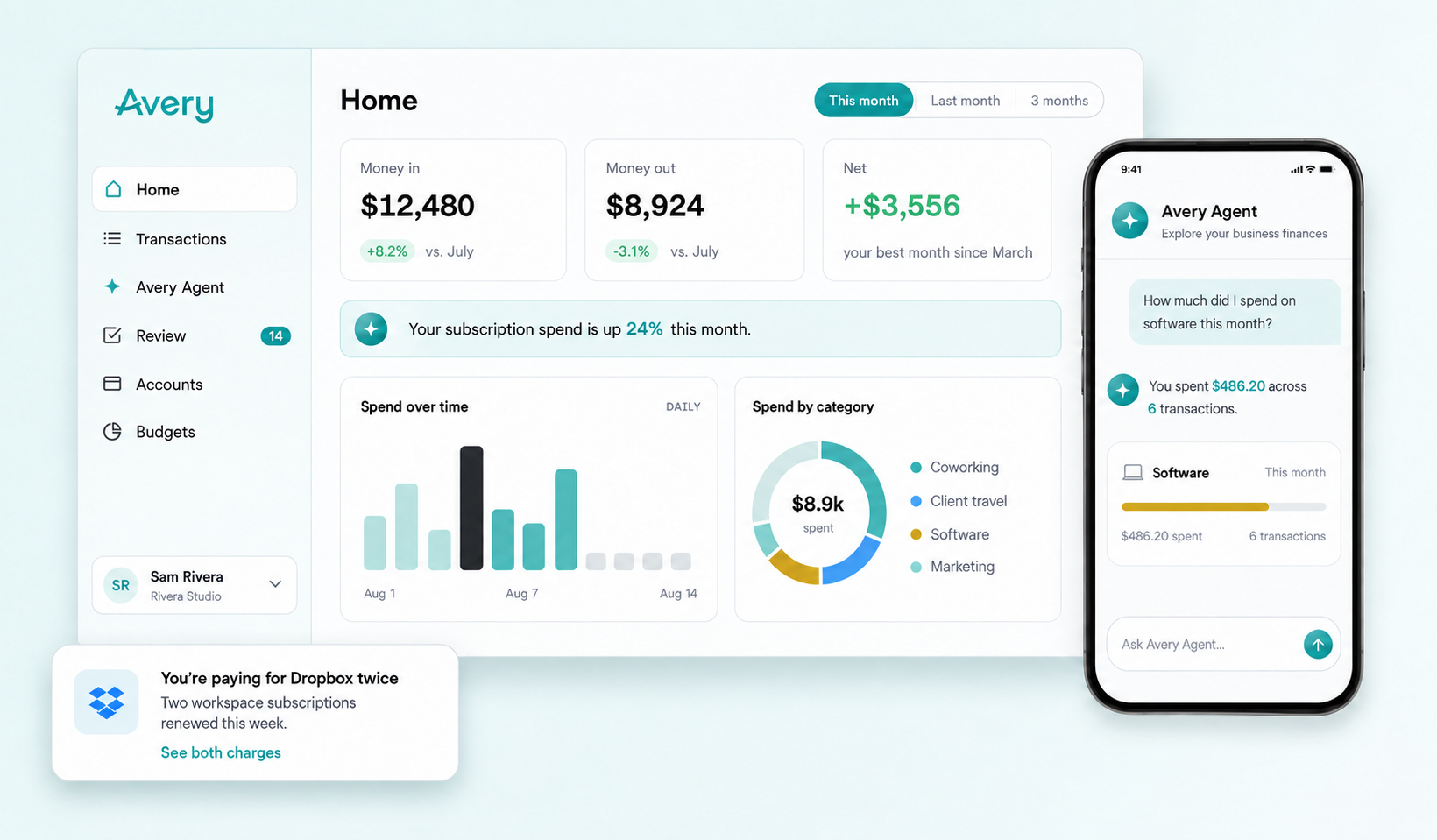
Use Rowjar Pro to organise your business finances, track invoices and work with your accountant. Choose Business for more invoicing and bookkeeping automation.

  • Illustrative Rowjar dashboard and mobile assistant showing business income, expenses and software subscriptions

    Connected accounts

    See income and expenses together.

    Bring transactions from supported accounts into one place and review the categories that describe your business.

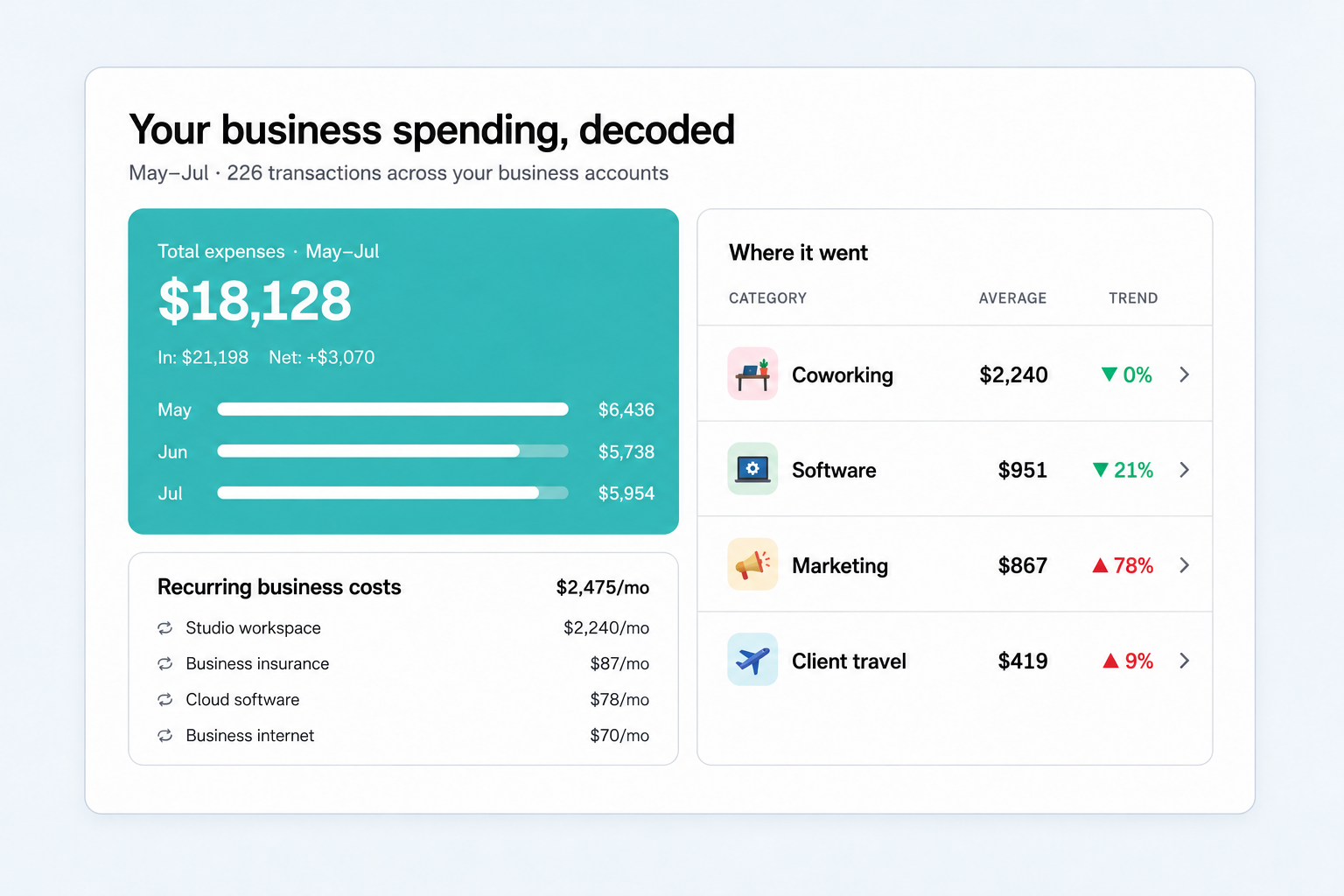
  • Illustrative business expense review showing software, marketing, coworking and client travel costs

    Reviewed records

    Keep records ready for review.

    Review expenses and recurring costs before using your reports. Pro includes receipt attachments and accountant collaboration.

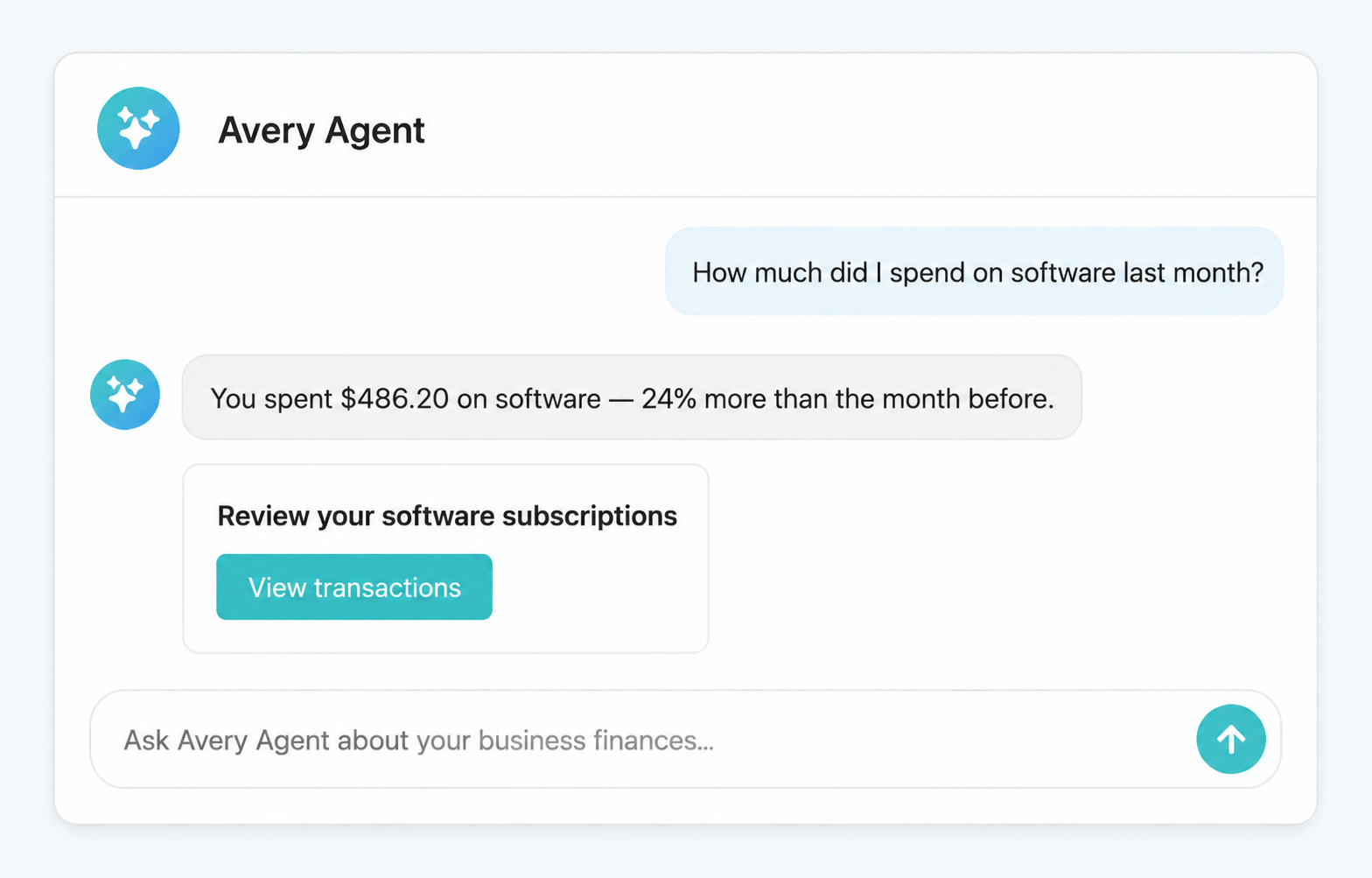
  • Illustrative Ask Rowjar conversation about a consultant’s software expenses and subscriptions

    Useful context

    Ask about your finances.

    Explore income and spending with Ask Rowjar. Check its answers and review proposed changes before you act.

Features

Your business finances,in one place

• AI Native

Ask About Your Business Finances.

Use Ask Rowjar to explore income and spending in plain English. Review its answers and any proposed changes before you act.

  • Questions about your finances
  • Context for your business activity
  • Review before approving changes
Illustrative Ask Rowjar conversation about a consultant’s software expenses and subscriptions

• Access Anywhere

Your Finances. Wherever You Are.

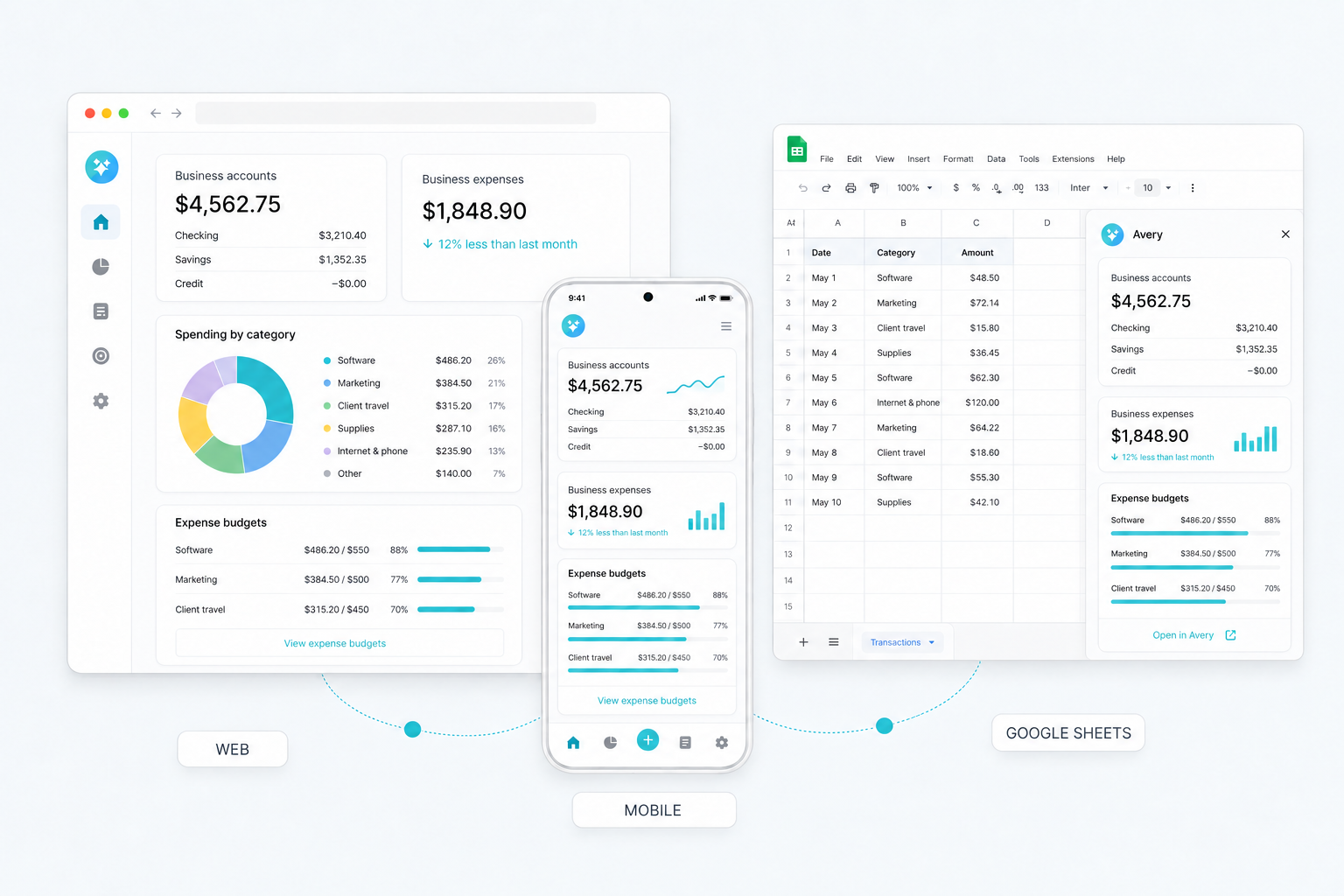
Check in on the go, take a closer look at your desk, or work in Google Sheets. Stay on top of your finances wherever the day takes you.

  • Native mobile apps for life on the go
  • Web access when it’s time to focus
  • Rowjar for Google Sheets if you prefer spreadsheets
Illustrative Rowjar web, mobile and Google Sheets views of business accounts and expenses

• Connected AI

Bring Your Finances Into The AI Tools You Use.

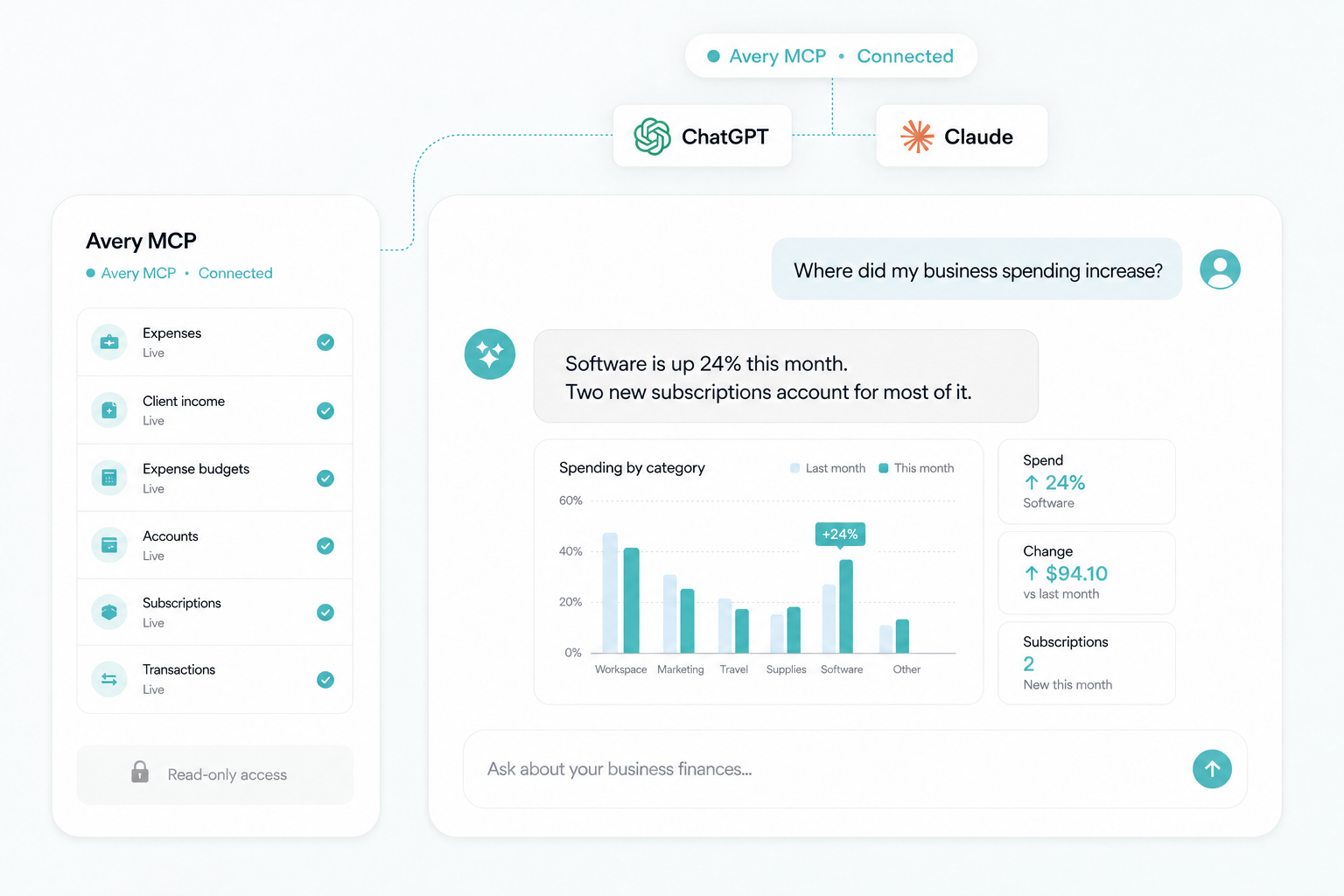
Connect Rowjar to supported AI tools through MCP. Bring financial context alongside your other connected tools, with read-only access you can revoke.

  • Financial context in supported AI tools
  • Read-only access to your workspace
  • Revoke a connection when you choose
Illustrative Rowjar MCP connection bringing business expense context into supported AI tools

See Rowjar in action.

Walk through your budget template setup with our team and see how Rowjar fits.

Request a demo

Sell budget templates?

Give your template a live bank feed and earn 35% of every subscription, for life.

Become a partner
FAQ

Frequently Asked Questions

Is Rowjar for my type of business?
Rowjar is for one-person businesses, including freelancers and consultants. Pro brings accounts, expenses, invoices and reports together. Business adds invoicing automation and advanced bookkeeping tools. If you need payroll, inventory or specialist accounting, discuss those needs with your accountant.
Which plan includes invoicing and accountant collaboration?
Pro includes invoicing, manual receipt attachments, profit-and-loss and cash-flow reports, and accountant collaboration. Business adds recurring invoices, reminders, AI receipt extraction and advanced bookkeeping tools. The Sheets-only plan does not include the app workflow.
Which US banks work with Rowjar?
Search for your institution in the bank connection flow, or ask [email protected] to check your bank and account type. Coverage varies by institution and provider; a bank name alone does not guarantee every account is supported.
Can I use Rowjar with my accountant?
Yes. Pro and Business include accountant collaboration and reports. You invite your accountant and choose the access you grant. A human accountant or professional review is not included in the subscription.
Is Google Sheets required?
No. Pro and Business include the Rowjar mobile and web apps. Choose Rowjar for Google Sheets if you want to keep your workflow in a spreadsheet.
Does Rowjar store my financial data?
The app stores financial records to provide its features. Relay-only Sheets workspaces keep the transaction ledger in Google Sheets: Rowjar still stores account and balance information, but does not persist those bank transactions. Switching to app transaction storage requires the applicable consent. Banking credentials are handled through the bank connection provider.